
 4.7/5 Trustpilot
Catch Trade Document Discrepancies Before Money or Goods Move
It compares invoices, packing lists, bills of lading, certificates and the Swift message field by field, tests each file for tampering, and routes every discrepancy to your trade operations team.

Every Shared Field Compared Across the Set

More Than 10 Forensic Checks per Document
The Trade Compliance AI Agent is one of KlearStack's Document GRC Agents. It checks each trade document set field by field, comparing invoices, packing lists, bills of lading, certificates and the Swift message against each other and your rules, tests every file for tampering, and routes discrepancies to a trade operations team that decides.
Used by ManyLoved by All!






















Improved Invoice Reconciliation Efficiency and Accuracy with KlearStack
AI Checks the File. Your Team Keeps the Decision.

Checks Run on Arrival
Each document set is checked as soon as it comes in.

Your Trade Team Decides
Discrepancies and final decisions stay with your trade operations team.

Sign-Off in Your Order
Approvals follow the sequence you set; out-of-order sign-off is blocked.

Inside Your Network
The agent can run on-premise, so client and shipment data stay with you.
Trade Documents Get Compared by Eye. Discrepancies Slip Through.
One shipment can carry many documents, and every shared field has to agree across all of them.

Field by Field, by Hand
Checkers read names, quantities and codes across every document. Fatigue decides what gets missed on a heavy day.

Late Discrepancies Cost Money
A discrepancy found after submission means refused documents, delayed payment or goods held at port.

Altered Documents Look Genuine
A changed date or quantity in a PDF is invisible on screen. Only a forensic test of the file shows it.
Seven Checks Across Every Trade Document Set
Each check reads the same field on every document in the set. Expand one to see what it compares.
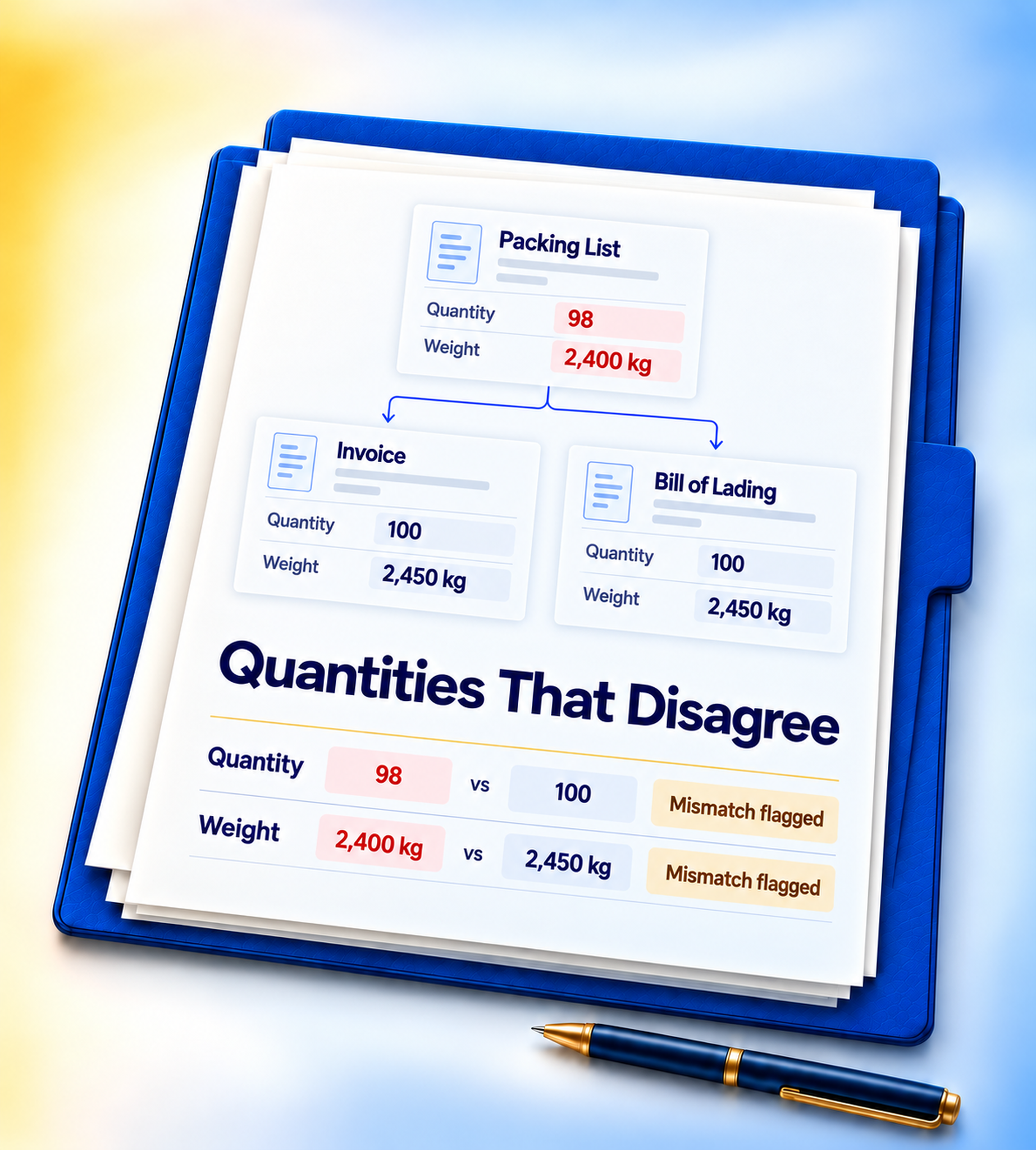
Quantities and weights on the invoice, packing list and bill of lading are compared, and any difference is flagged with each document's value.
The goods description and tariff code are compared across the Swift message, the invoice and the other documents in the set.
Shipper, consignee, notify party and beneficiary names are compared across the set, so a mismatched name is caught before submission.
Invoice totals are checked against line items and against the amount your terms allow, with any gap beyond your threshold flagged.
Shipment, issue and presentation dates are checked against the dates your rules and the credit terms allow.
Required fields, such as the vessel, port or signature, are checked for content, so an incomplete document is flagged early.
Every file runs through more than 10 forensic checks, so an altered bill of lading or invoice is flagged before anyone relies on it.
Follow One Shipment's Documents to a Decision
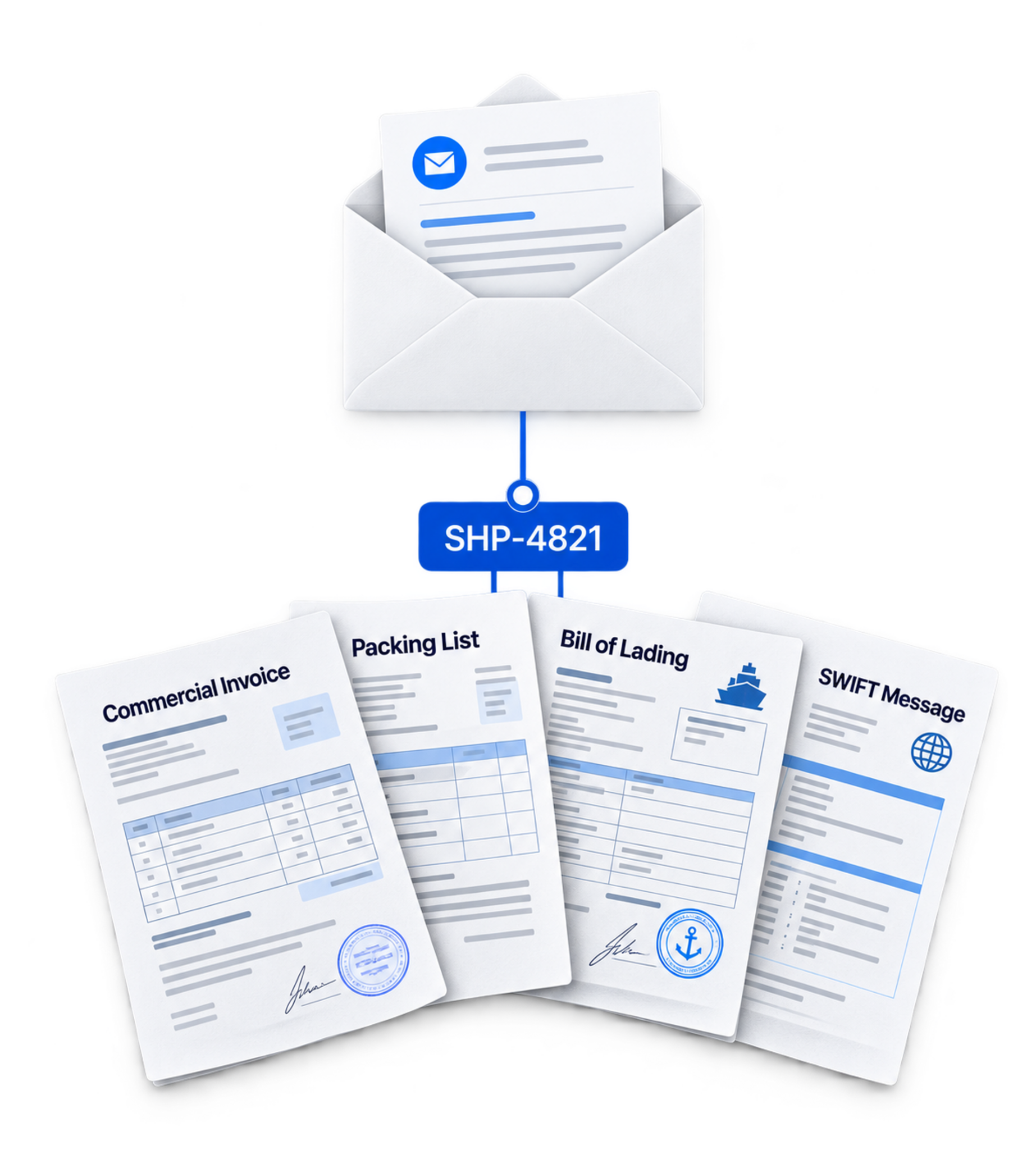
An example export shipment with an invoice, packing list, bill of lading and Swift message. Your rules will differ.
Arrives
The shipment's documents arrive by email and are grouped as one set under the shipment reference.
A Discrepancy Record Your Auditor Can Retrace

One trail behind every result
- Every field compared across the set, with its result
- The rule behind each comparison
- Who reviewed the set, and in what order
- The decision for the set, such as non-tradable

Evidence where your team needs it
- Discrepancies routed to your trade operations team
- A set report you can export or email
- Checked data out through Excel, CSV or API
- A pass, fail or review result per check
Where the Agent Stops
Clear boundaries keep the decision with your people and your policy.
It does not screen parties or goods against sanctions or export-control lists
Keep your screening tool for that. (Confirm with product.)
It does not decide whether to pay, negotiate or release goods
Your trade team does.
It does not change your checking rules on its own
Changes go live only after approval.
Documents In From Your Inbox, Results Out to Your Trade System
Intake: Trade documents and Swift messages arrive by email, Drive folder, Amazon S3, OneDrive, WhatsApp or secure FTP. Results: Checked data and decisions move to your trade finance or ERP system through Excel, CSV or API.


Your business system
Checked data and decisions move through Excel, CSV or API.
Documents Processed
the same engine checks trade documents, invoices, statements and loan files.
Faster Turnaround
document sets move from arrival to a decision five times faster.
Forensic Checks per Document
every file is tested for tampering before anyone relies on it.
Document Types
invoices, packing lists, bills of lading, certificates and custom types you define.
Client and Shipment Data Can Stay Inside Your Network
The Trade Compliance AI Agent runs on-premise as well as in the cloud, with the same checks either way.
Discuss an On-Premise Deployment SOC 2 and ISO 27001Enterprise-ready controls
 Retention under your controlApply your own document policies
 Private or on-premiseChoose the deployment model
Questions About the Trade Compliance AI Agent
Everything operations, risk and audit teams usually ask before a pilot.
The Trade Compliance AI Agent checks trade document sets field by field. It compares invoices, packing lists, bills of lading and certificates. It checks them against the Swift message and your rules. It tests each file for tampering.




See the Agent Check Your Own Trade Documents
Send us a few document sets from recent shipments. We check them in a Free Proof of Concept and show you every discrepancy with its evidence.